
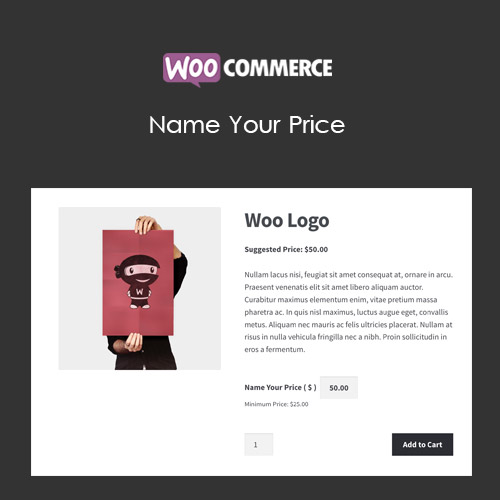

WooCommerce Name Your Price allows customers to set their own price for products, services, or donations. Perfect for flexible pricing, donations, or pay-what-you-want models, the plugin lets store owners define minimum and suggested prices while giving buyers freedom to choose their payment. It enhances engagement, encourages purchases, and supports unique business models while maintaining control over pricing strategy.
This is EXACTLY the same product as distributed by the developer. Sales Page
WooCommerce Name Your Price – Introduction
WooCommerce Name Your Price provides a flexible pricing solution for products, services, or donations. Instead of fixed prices, customers can enter the amount they are willing to pay within predefined limits. This approach is ideal for businesses running donation campaigns, fundraising, or selling digital and physical products with variable pricing. The plugin balances customer freedom with store owner control by allowing minimum, maximum, or suggested prices.
It integrates seamlessly with WooCommerce checkout, variable products, and subscriptions. You can also display suggested prices to guide customers without limiting their choices. The plugin supports different pricing strategies, such as discounts or dynamic pricing based on the customer’s selection. By enabling customer-driven pricing, WooCommerce Name Your Price can increase conversions, attract more buyers, and support charitable or community-driven business models.
Key Features
- Customer-Defined Pricing: Customers can enter the price they wish to pay within store-defined limits.
- Minimum & Maximum Limits: Ensure buyers pay at least a minimum or not exceed a maximum price.
- Suggested Prices: Recommend a suggested price to guide customers without restricting choice.
- Supports Donations & Services: Ideal for fundraising, charitable products, or flexible service pricing.
- Integration with WooCommerce: Works with simple, variable, subscription, and grouped products.
- Improved Engagement: Increases customer interaction and encourages purchases through flexibility.
- Dynamic Pricing Options: Combine with discounts or promotions for advanced pricing strategies.
- Responsive Checkout: Customers can enter their price easily on desktop or mobile devices.
Getting Started
- Install and activate WooCommerce Name Your Price.
- Go to WooCommerce → Products and edit the product you want to enable flexible pricing.
- Enable “Name Your Price” option and set minimum, maximum, or suggested price.
- Save changes and view the product on the storefront to verify functionality.
- Test checkout with different prices to ensure smooth processing and display.
Summary
WooCommerce Name Your Price is perfect for businesses offering flexible pricing models, donations, or pay-what-you-want campaigns. With customizable minimums, maximums, and suggested prices, it provides freedom for customers while maintaining store control. The plugin enhances engagement, encourages purchases, supports unique business strategies, and integrates seamlessly with WooCommerce products and checkout, making it a versatile tool for innovative eCommerce stores.
- Categories: WooCommerce
- Tags: WooCommerce
