
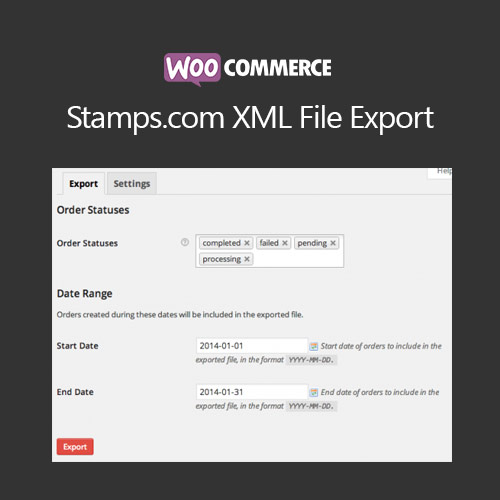

WooCommerce Stamps.com XML File Export allows merchants to generate XML files compatible with Stamps.com for efficient shipping label creation. The plugin automates order export, reducing manual data entry and errors. It supports batch exports, order filtering, and custom XML formats. Ideal for businesses using Stamps.com, it streamlines shipping workflows, improves accuracy, and saves time in processing domestic and international orders.
This is EXACTLY the same product as distributed by the developer. Sales Page
WooCommerce Stamps.com XML File Export – Introduction
WooCommerce Stamps.com XML File Export simplifies the integration of WooCommerce orders with Stamps.com by generating XML files that can be uploaded to the platform for label printing. It automates order export, supports batch processing, and allows filtering orders by status or date, reducing manual work and ensuring shipping accuracy.
The plugin is highly configurable, allowing merchants to customize the XML structure according to Stamps.com requirements. By automating exports, businesses can save time, prevent errors, and efficiently process both domestic and international shipments. Compatibility with WooCommerce orders, including variable and grouped products, ensures seamless operation.
Key Features
- Automated XML Export: Generate Stamps.com-compatible XML files automatically.
- Batch Order Processing: Export multiple orders at once for efficiency.
- Order Filtering: Filter by date, status, or customer to export specific orders.
- Custom XML Structure: Configure XML format to match Stamps.com requirements.
- Domestic & International Support: Handle all order types for shipping.
- Error Reduction: Reduces manual entry mistakes and ensures accurate label creation.
- WooCommerce Integration: Works seamlessly with WooCommerce orders and product types.
- Time-Saving: Streamlines the shipping process for faster fulfillment.
Getting Started
- Install and activate WooCommerce Stamps.com XML File Export.
- Go to WooCommerce → Settings → Stamps.com Export.
- Configure XML format and export settings according to Stamps.com specifications.
- Select order statuses and date ranges for export.
- Generate XML files and upload them to Stamps.com for label creation.
- Verify exported files and confirm orders are processed accurately.
Summary
WooCommerce Stamps.com XML File Export automates the creation of Stamps.com-compatible XML files from WooCommerce orders. By supporting batch processing, filtering, and custom XML structures, it streamlines shipping workflows, reduces errors, and saves time. This plugin is essential for businesses using Stamps.com to manage shipping efficiently for both domestic and international orders.
- Categories: WooCommerce
- Tags: WooCommerce
