
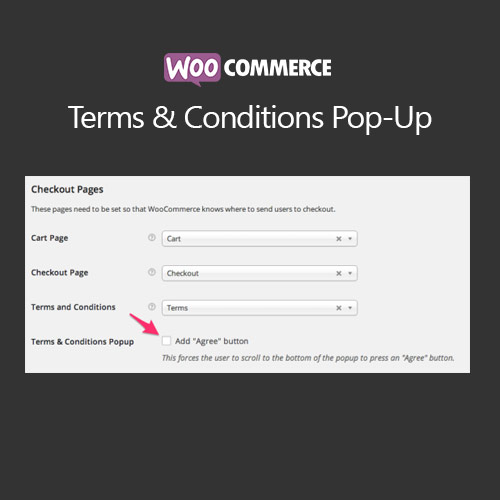

WooCommerce Terms and Conditions Popup displays your store’s policies in a customizable pop-up during checkout, ensuring customers are aware and agree to your terms before completing a purchase. It improves compliance, reduces disputes, and enhances user experience by allowing customers to read terms without leaving the checkout page. Fully customizable, it works seamlessly with WooCommerce checkout and various themes.
This is EXACTLY the same product as distributed by the developer. Sales Page
WooCommerce Terms and Conditions Popup – Introduction
WooCommerce Terms and Conditions Popup is a plugin designed to display your store’s policies in a responsive, customizable popup during checkout. Instead of redirecting customers to a separate page, the popup ensures that terms are clearly presented and agreed upon before purchase. This helps businesses maintain compliance and reduce legal risks while providing a smooth user experience.
The plugin is highly flexible, allowing custom text, colors, font styles, and buttons to match your website design. You can link the popup to your terms page and include scroll-to-agree or checkbox confirmations to enhance compliance. It works with standard WooCommerce checkout and is compatible with most themes.
Key Features
- Responsive Popup Display: Terms are shown in a mobile-friendly popup during checkout.
- Customizable Design: Adjust colors, fonts, buttons, and layout to match your theme.
- Scroll-to-Agree & Checkboxes: Ensure customers actively accept terms before checkout.
- Link to Terms Page: Popup can include a link to the full terms and conditions page.
- Improved Compliance: Reduces legal risks by clearly displaying terms to customers.
- Seamless Integration: Works with WooCommerce checkout and most themes.
- User-Friendly: Customers can read and agree without leaving the checkout page.
- Multiple Popups: Optional support for different popups per product or category.
Getting Started
- Install and activate WooCommerce Terms and Conditions Popup.
- Go to WooCommerce → Settings → Terms Popup.
- Customize popup content, design, and behavior.
- Link the popup to your existing terms and conditions page.
- Enable scroll-to-agree or checkbox confirmation as needed.
- Test checkout to ensure popup appears correctly and enforces acceptance.
Summary
WooCommerce Terms and Conditions Popup enhances compliance and user experience by displaying store policies in a customizable, responsive popup during checkout. Customers can read and accept terms without leaving the checkout page, reducing legal risk and improving conversion rates. Its seamless integration and flexible design options make it an essential plugin for any WooCommerce store.
- Categories: WooCommerce
- Tags: WooCommerce
