
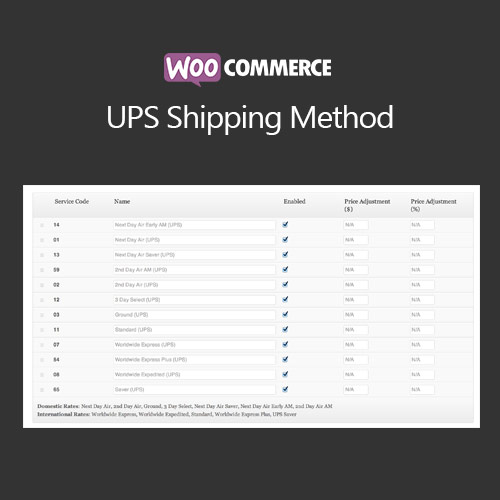

WooCommerce UPS Shipping Method integrates UPS shipping services directly into your WooCommerce store, providing real-time shipping rates at checkout. It supports domestic and international shipping, multiple UPS services, and package tracking. The plugin automates shipping cost calculation based on weight, dimensions, and destination, enabling merchants to provide accurate shipping rates and improve customer experience while streamlining order fulfillment.
This is EXACTLY the same product as distributed by the developer. Sales Page
WooCommerce UPS Shipping Method – Introduction
WooCommerce UPS Shipping Method is designed to connect your store with UPS, allowing customers to view live shipping rates and choose their preferred UPS service during checkout. The plugin calculates shipping costs in real time based on package dimensions, weight, and destination. It also supports label printing, tracking, and notifications, streamlining shipping management for merchants.
With support for multiple UPS services like Ground, 2nd Day Air, and International shipping, store owners can provide flexible options to customers. The plugin integrates seamlessly with WooCommerce checkout, ensuring accurate pricing and a smooth buying experience. Automated tracking notifications keep customers informed, reducing inquiries and increasing satisfaction.
Key Features
- Live UPS Shipping Rates: Accurate rates calculated based on weight, dimensions, and destination.
- Domestic & International Shipping: Supports UPS services for worldwide delivery.
- Multiple Service Options: Offer different UPS shipping types, including express and standard delivery.
- Tracking Integration: Automatically provide customers with tracking numbers and updates.
- Label Printing: Generate UPS shipping labels directly from WooCommerce orders.
- Package Management: Set default weights, dimensions, and package types for accurate rates.
- Flexible Handling Fees: Add custom handling charges per order if needed.
- Enhanced Customer Experience: Clear shipping costs and tracking improve satisfaction.
Getting Started
- Install and activate WooCommerce UPS Shipping Method.
- Go to WooCommerce → Settings → Shipping → UPS.
- Enter UPS API credentials provided by UPS.
- Configure shipping services, default package dimensions, and handling fees.
- Test checkout with live shipping rates and tracking.
- Enable notifications to inform customers of shipping updates.
Summary
WooCommerce UPS Shipping Method simplifies order fulfillment by providing real-time shipping rates, tracking, and label printing. With support for domestic and international shipments and multiple service options, it enhances customer satisfaction and operational efficiency. Integration with WooCommerce checkout ensures accurate costs and a smooth experience for both merchants and customers.
- Categories: WooCommerce
- Tags: WooCommerce
