
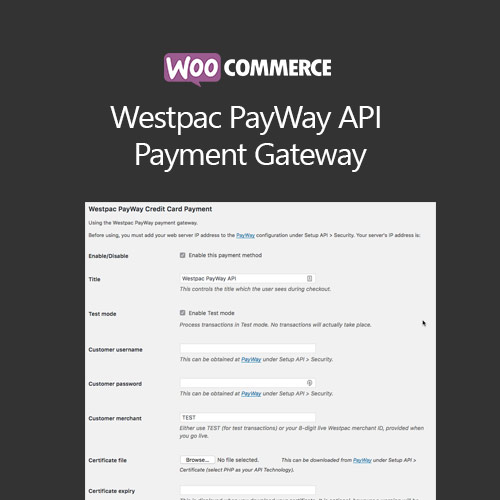

WooCommerce Westpac PayWay API Payment Gateway integrates Westpac’s secure payment services into your WooCommerce store. It allows customers to pay via credit card or debit card directly on your site, supporting one-time and recurring payments. The plugin ensures PCI compliance, secure transactions, and seamless checkout experience, making it ideal for Australian merchants seeking a reliable, locally supported payment gateway.
This is EXACTLY the same product as distributed by the developer. Sales Page
WooCommerce Westpac PayWay API Payment Gateway – Introduction
WooCommerce Westpac PayWay API Payment Gateway enables Australian store owners to accept secure online payments via Westpac’s PayWay platform. The plugin provides a seamless checkout experience, supporting credit and debit card payments directly within your WooCommerce store. It is fully PCI-compliant and ensures sensitive payment information is handled securely.
The gateway supports one-time payments, recurring subscriptions, and refunds. It also allows automatic transaction status updates within WooCommerce, helping store owners manage payments efficiently. By integrating Westpac PayWay, merchants can offer their customers a trusted, reliable, and convenient payment option with local support.
Key Features
- Secure Payments: PCI-compliant processing of credit and debit card payments.
- Recurring Payments: Support for subscriptions and automatic billing.
- Refunds & Transaction Management: Process refunds and monitor transactions from WooCommerce.
- Seamless Checkout: Customers remain on your website during payment.
- Automatic Status Updates: Orders are updated automatically based on payment outcomes.
- Local Support: Trusted gateway for Australian merchants with Westpac support.
- Compatibility: Works with standard WooCommerce products, subscriptions, and variable products.
- Easy Setup: Configure API credentials and settings directly in WooCommerce.
Getting Started
- Install and activate WooCommerce Westpac PayWay API Payment Gateway.
- Navigate to WooCommerce → Settings → Payments → Westpac PayWay.
- Enter API credentials, including Merchant ID and API key.
- Enable the gateway and configure payment options.
- Test transactions to ensure payments are processed correctly.
- Monitor orders and manage refunds through the WooCommerce dashboard.
Summary
WooCommerce Westpac PayWay API Payment Gateway provides a secure, locally supported payment option for Australian merchants. It ensures PCI compliance, seamless checkout, and supports recurring payments, refunds, and transaction management. By integrating this gateway, businesses can offer customers a reliable and convenient payment solution, improving trust and reducing cart abandonment rates.
- Categories: WooCommerce
- Tags: WooCommerce
