
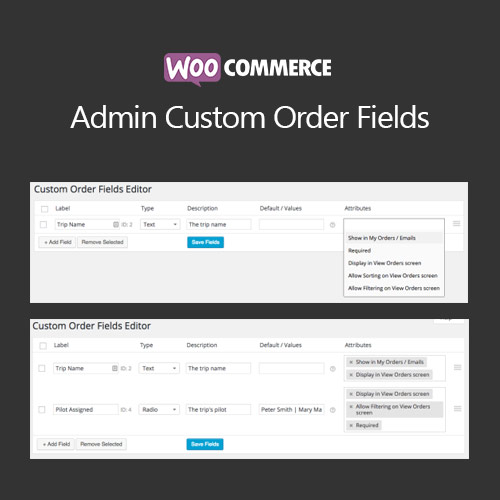

WooCommerce Admin Custom Order Fields plugin allows store administrators to add, edit, and manage custom fields for WooCommerce orders. It supports text, select, date, checkbox, and other field types. The plugin enhances order management, improves data collection, and provides flexibility to capture unique information required for fulfillment, invoicing, or customer service.
This is EXACTLY the same product as distributed by the developer. Sales Page
WooCommerce Admin Custom Order Fields – Introduction
WooCommerce Admin Custom Order Fields enables administrators to add custom fields to WooCommerce orders, capturing additional information during checkout or in the admin dashboard. Fields can be displayed on invoices, emails, and order pages for better tracking and management.
This plugin is essential for stores needing extra order data for shipping instructions, gift notes, internal tracking, or compliance requirements. It provides flexibility and improves operational efficiency by integrating seamlessly into WooCommerce’s order management system.
Key Features
- Custom Field Types: Text, select, date, checkbox, and more.
- Admin Management: Add, edit, and remove fields from the order edit page.
- Checkout Integration: Capture additional information from customers during checkout.
- Email & Invoice Display: Include custom fields in order emails and invoices.
- Order Filtering: Filter orders by custom field values in the admin dashboard.
- Improved Order Tracking: Collect necessary fulfillment and customer information efficiently.
- Flexible Placement: Add fields to order pages, admin panels, or checkout forms.
- Seamless WooCommerce Integration: Fully compatible with standard order workflows.
Getting Started
- Install and activate WooCommerce Admin Custom Order Fields plugin.
- Navigate to WooCommerce → Settings → Custom Order Fields.
- Add required custom fields with appropriate types.
- Configure field placement on order pages or checkout.
- Test by creating or editing an order to ensure fields appear correctly.
- Use fields in emails, invoices, and reports as needed.
Summary
WooCommerce Admin Custom Order Fields allows flexible customization of order data. It improves order management, enhances data collection, and integrates seamlessly with WooCommerce, making it ideal for stores needing additional order-related information.
- Categories: WooCommerce
- Tags: WooCommerce
